
Set Proxy for Ollma on Windows
Set proxy for ollama on Windows
If you are work behind a proxy, Ollama will unable to pull models behind the proxy on windows. Here is the solution for it.
Actually, it's very simple to set proxy for Ollama on windows. Just need to add a new environment variable named HTTPS_PROXY with your proxy address.
Show as below figure
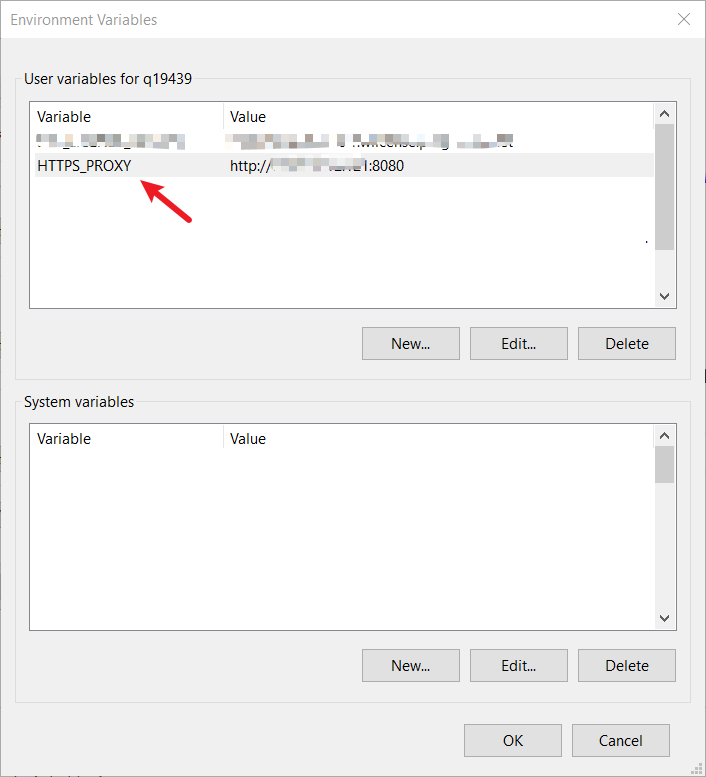
Then open PowerShell and type:
ollama run deepseek-r1:7b
It will pull the model from the proxy.
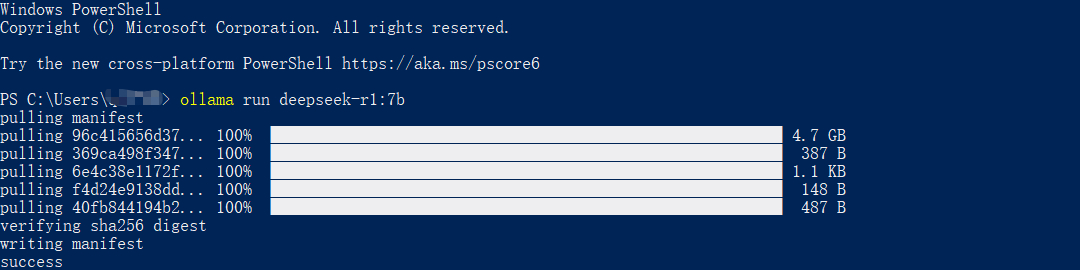
That all.
There are several discussions about this issue on the web, but no one can provide a clear solution. And please note that no need to add environment variable HTTP_PROXY, it may interrupt client connections to the server.
Share this article
Comments
0Please sign in to post a comment.
No comments yet.