
Build Your Own Drone from Scratch with ESP32
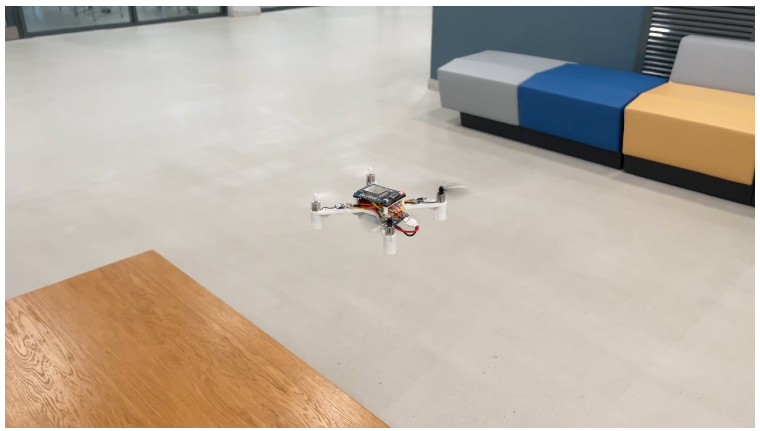
Flix is a fully open-source, DIY quadcopter project powered by the ESP32 chip. Designed for tech enthusiasts and beginners alike, it lowers the barrier to drone building by using affordable, readily available components and highly readable Arduino firmware. It provides everything you need—from 3D printable frame files and circuit diagrams to a Gazebo-based simulation environment for safe testing. This makes it an excellent, low-cost educational tool for gaining hands-on experience in circuit soldering, 3D printing, and flight control programming.
Have you ever dreamed of building your own drone from scratch? Not just assembling a pre-made kit, but selecting the chips, designing the circuits, 3D printing the frame, soldering the components, flashing the firmware, and tuning the parameters until it takes off right from your hands? This is the ultimate romance for tech enthusiasts!
While it might sound intimidating, requiring a huge budget or reading thick technical manuals, the Flix project changes everything. It lowers the barrier to entry, making drone-building accessible to anyone.
What is Flix?
Flix is a fully open-source quadcopter project based on the ESP32 chip, created by a Russian developer. Everything—firmware code, circuit diagrams, and 3D models—is freely available on GitHub.
Its core philosophy is simplicity. Unlike commercial drones that use closed-source protocols and "black box" chips, Flix uses highly readable, concise firmware written in Arduino.
How to Build It? (Step-by-Step)
Step 1: Gather the Components
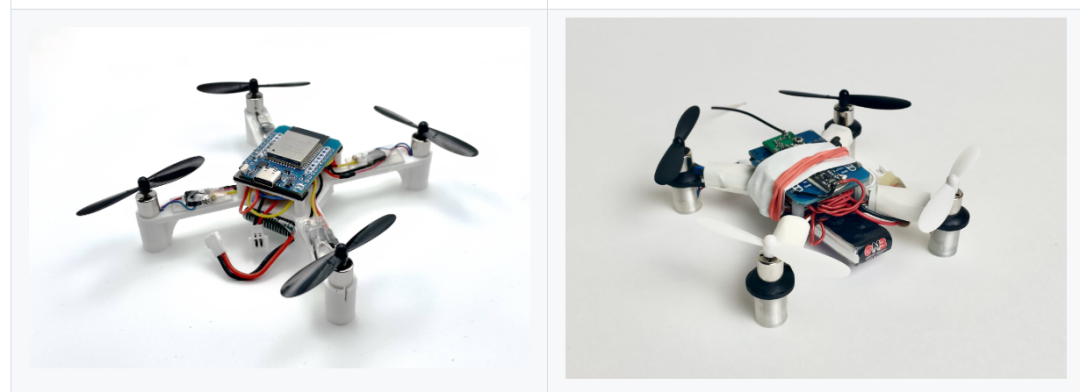
Flix uses standard, off-the-shelf electronic components that are incredibly affordable. Here is the parts list:
- Brain: ESP32 Mini Development Board (Cheap, powerful, and includes Wi-Fi)
- Balance: GY-91 / MPU-9250 / MPU-6050 IMU (Tells the drone its orientation)
- Heart (Motors): 4x 8520 3.7V Brushed Coreless Motors
- Wings (Propellers): 4x 55mm or 65mm Propellers (Ensure correct CW/CCW placement)
- Muscles: 4x MOSFETs (e.g., 100N03A) to control motor speed
- Energy: 3.7V LiPo Battery & Charger
- Skeleton: 3D Printed Frame (STL files provided; print yourself or order online)
- Misc: Resistors, wires, screws, double-sided tape.
Step 2: Build and Assemble
- Print the Frame: Download the STL files and 3D print the drone's skeleton.
- Soldering: Follow the circuit diagram to solder the ESP32, IMU, MOSFETs, and motor connectors.
- Assembly: Mount all electronics and motors onto the frame and attach the propellers.
Step 3: Flash the Firmware
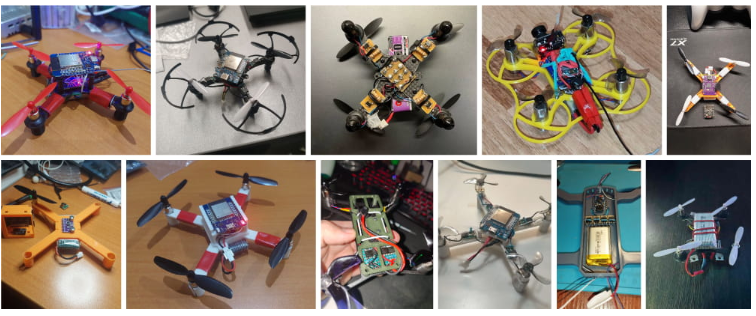
Connect the ESP32 to your computer and flash the Flix firmware using the Arduino IDE. Once done, you can control the drone via Wi-Fi using a computer, gamepad, or smartphone.
Simulation and Learning
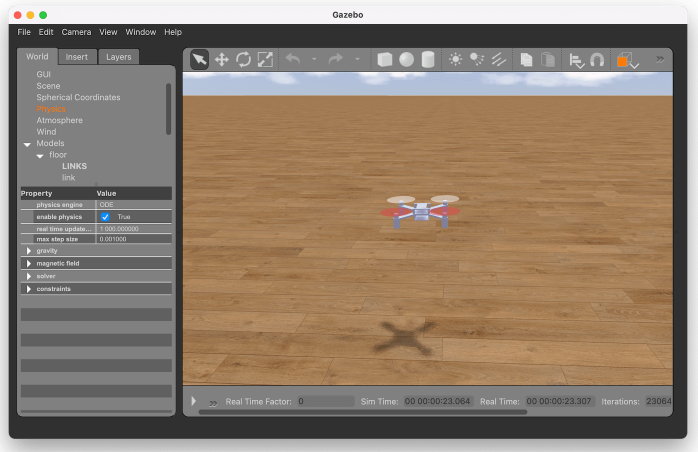
The creator also provided a Gazebo-based simulation environment. You can test and tune parameters (like PID) virtually before real-world flights. With less than 2000 lines of code, Flix serves as an excellent educational tool to understand attitude calculation, motor mixing, and remote control parsing.
Conclusion
Flix proves that the joy of creation doesn't require a high budget. It's a key to unlocking the secrets of flight control and experiencing the journey from code to reality.
Safety First: Always fly in open, unpopulated areas!
Share this article
Comments
0Please sign in to post a comment.
No comments yet.